
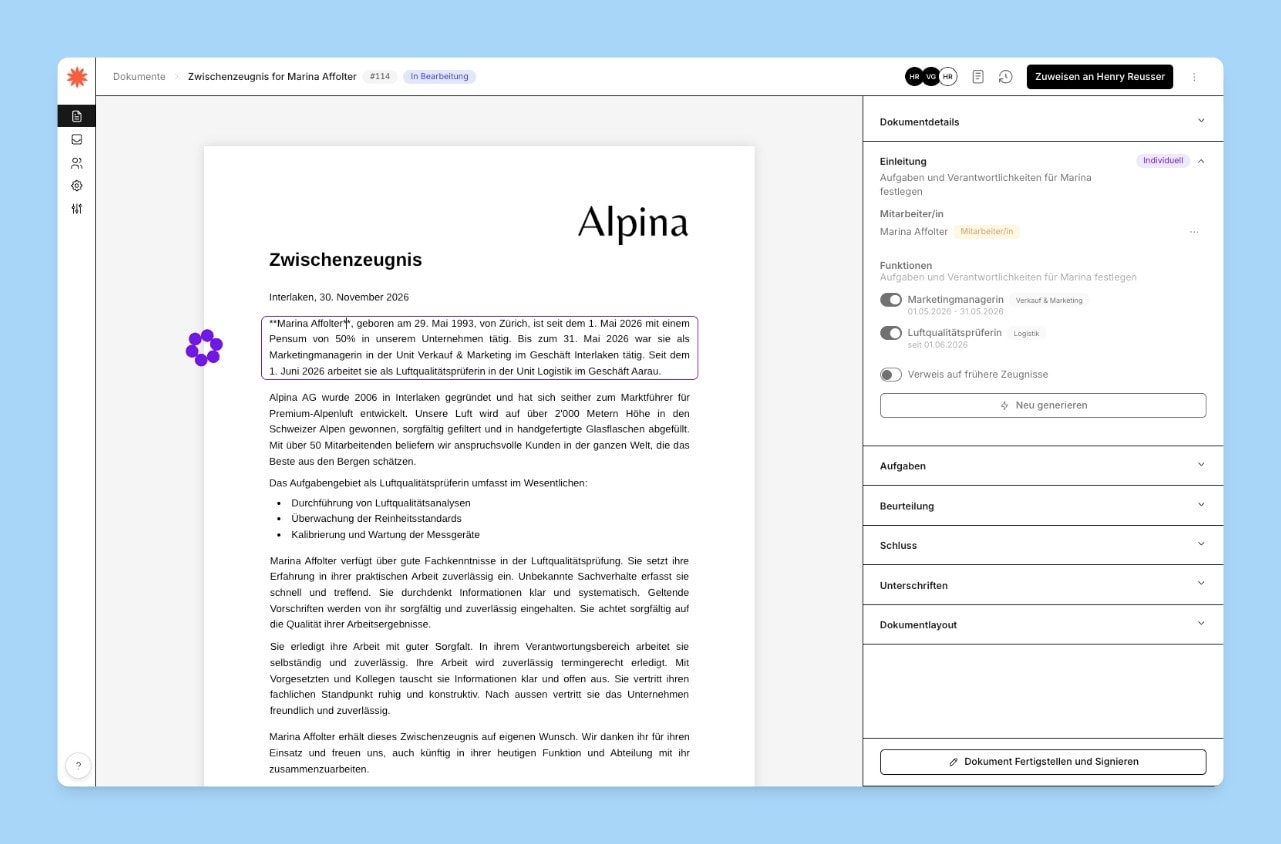
there are two different ways to do this, a keyboard shortcut or inserting stars
keyboard shortcut
go to
Bearbeitenclick in the text and
markiere das Wort/ die Worteuse the following keyboard shortcut: for Apple:
command+Bfor Windows:control+Bthe word is now in bold
inserting stars
go to
Bearbeitenput
zwei Sternebefore the word andzwei Sterneafter the wordgo to the preview: the word is now in bold
The following words can be marked by us in the settings in the template as "always show in bold":
employee introduction:
name
current position
task introduction
position
company names
signatures:
name
position