
Quick guide in video format
Video coming shortly
☝ In this video we show you how easy and efficient it is to create reference letters with Skriba. Whether you are a manager or in another position, our intuitive interface lets you generate professional employment references in just a few steps. Watch to find out how Skriba can make your workday easier.
Logging in
Go to
app.skriba.ch/dein-unternehmen/loginand log in with your email address and your password.If you are logging in to Skriba for the first time and have not received a password yet, you can click
Passwort vergessen. You will then get an email with more information on how to set your password.
Starting to edit a reference letter
As a supervisor, you get an email as soon as a reference letter is ready for editing. Just click the link in the email and you go straight to that reference letter.
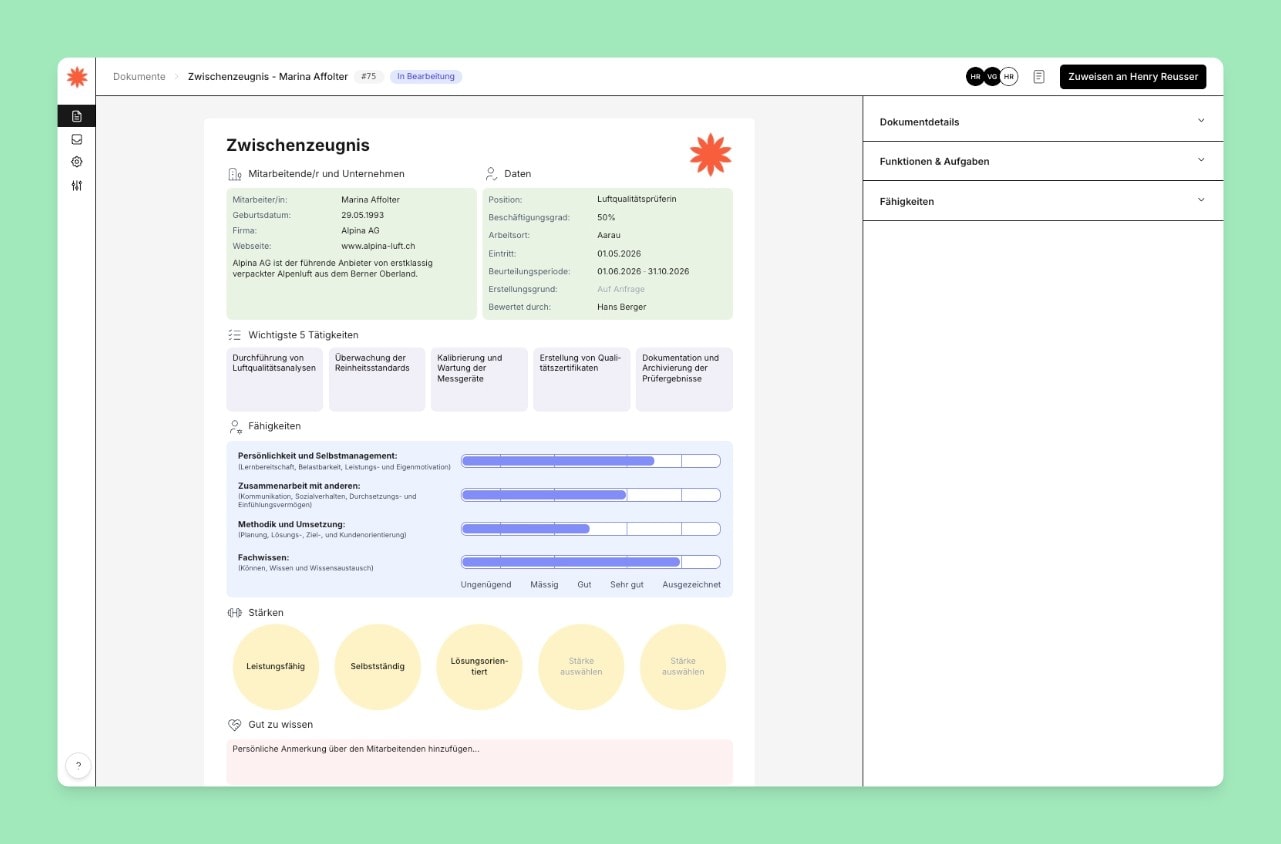
In your Skriba you see completed reference letters (Completed or Signed) that you were involved in, as well as open reference letters where you still have something to do. Reference letters that you still need to edit are marked as in progress or waiting for signatures. Select the reference letter to edit it.
Adding tasks
The HR staff prepare the reference letter as far as possible. As a manager, you then check and add to the tasks of the person being assessed.
Select all the tasks that apply by clicking on them.
If the person took on other specific tasks within the team, you can add them manually.
Doing the assessment
The assessment has four categories. For employees with management responsibility, there is a fifth category.
Rate each category on a scale from «Ungenügend» to «Ausgezeichnet».
Good to know
Add your personal observations on working with the employee here, for example on commitment, way of working or a special contribution to the team. The text is carried over into the «Gut zu wissen» section of the employment reference. With «Verfeinern» you can have your note reworded.
FAQs
Why are no tasks shown for a function?
If no tasks are shown for a function, no tasks have been entered for that function yet. Please contact the HR person responsible to discuss next steps. It could also be that the tasks are saved in only one language, but the reference letter is written in another language.