
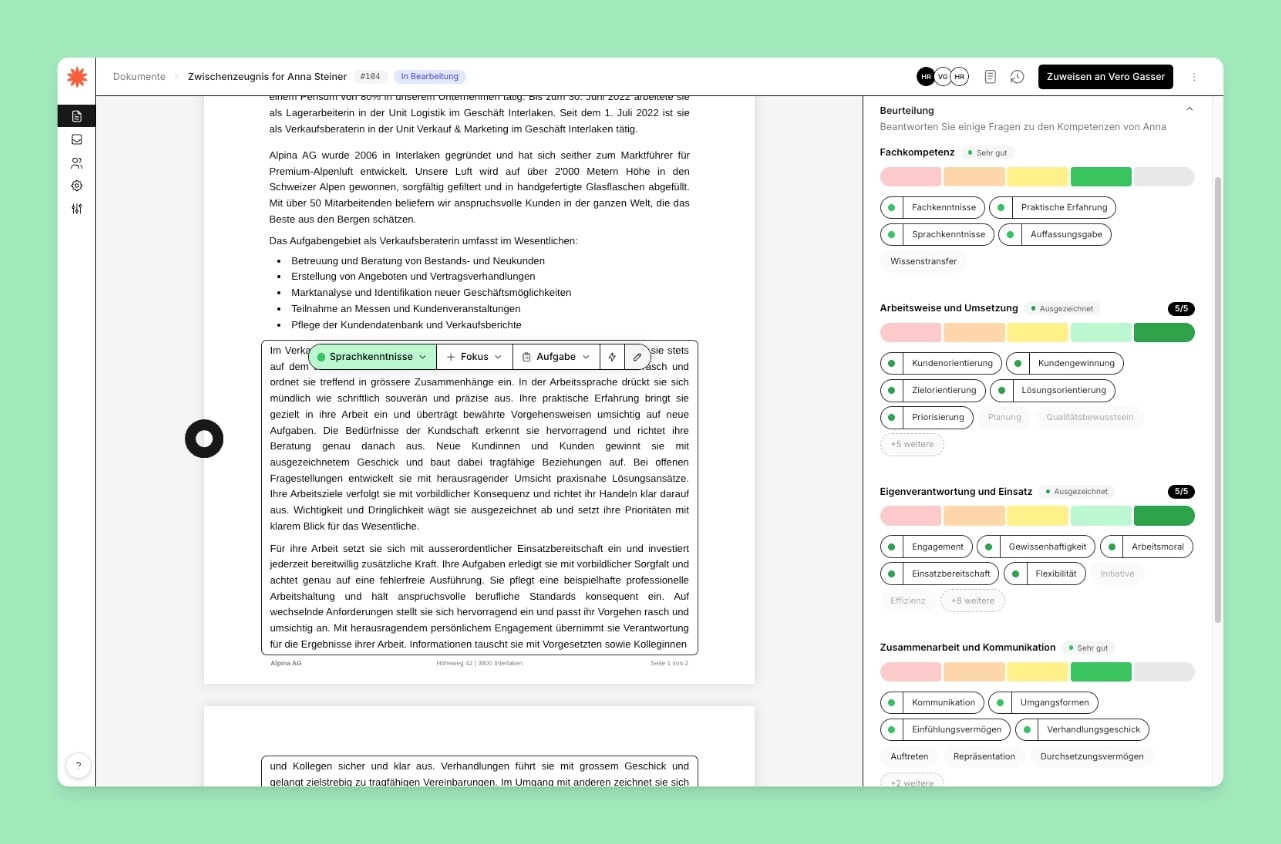
Set focus:
Click the assessment text and the refinement menu opens.
As usual, you can adjust the competence level here using the color selection.
Under Focus, you can choose which aspect of the competence is in the foreground.
Under Task, you can link this competence to a task from the field of work.
Under the lightning symbol, you can write your own instruction for how the sentence should be worded.
Manual editing:
There are two ways to get to manual editing.
Either:
Double-click the assessment text
or:
Click the assessment text and the refinement menu opens. Under the pencil symbol on the far right, you get to manual assessment.