
↵Open
Skriba changelog
Changelog
The latest Skriba releases and improvements.
Reusable task blocks
Feature Release
Improvements
Reusable task blocks
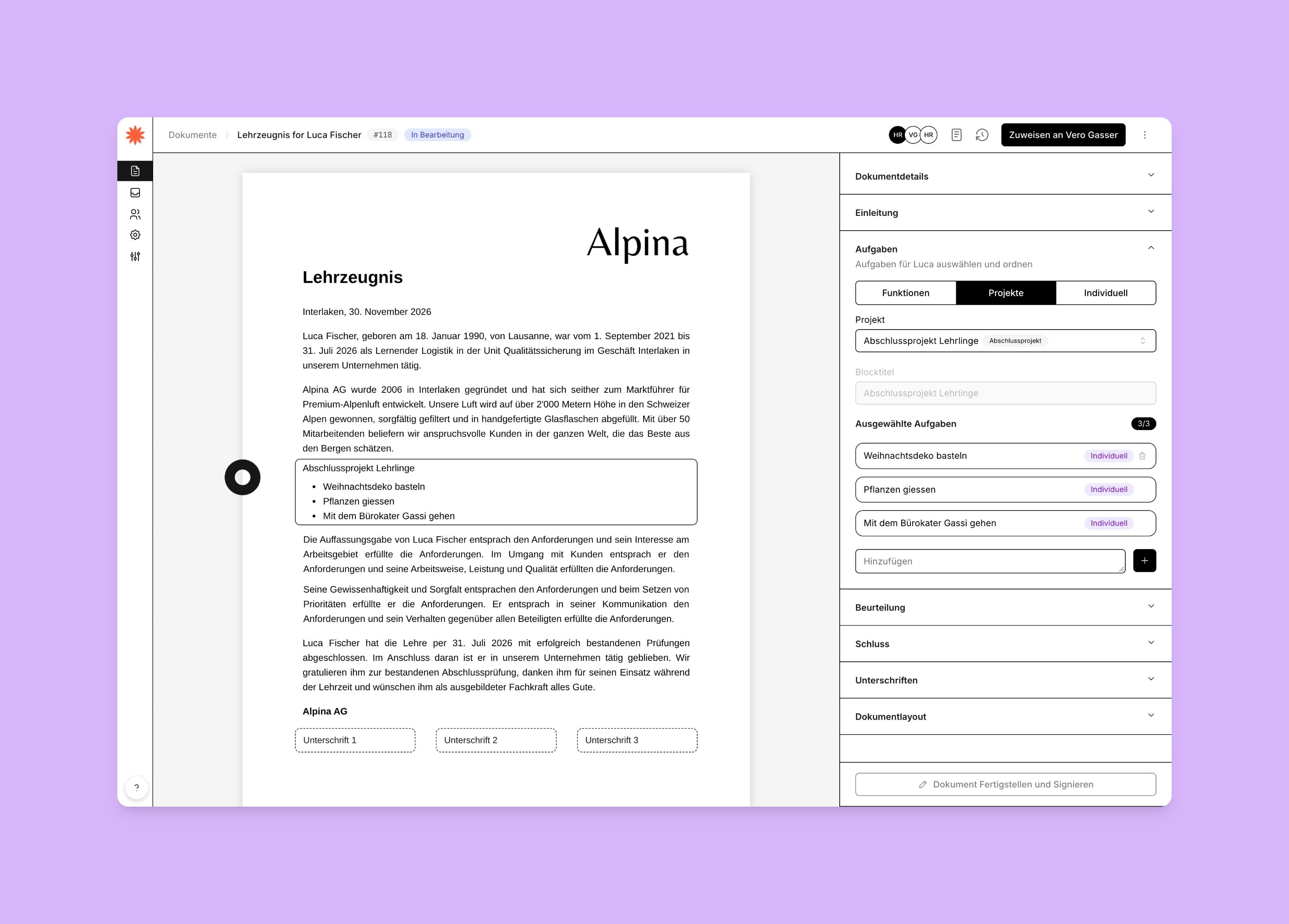
If you need the same tasks in several documents, you can reuse the matching block. You maintain the tasks once in the task catalog and use them wherever they are needed.
You link a task block to a function, a job family, a project, or a task area. Filters can also be set.
Create employees directly in Skriba despite the interface
Employees who are not yet in the HR system also belong to your headcount in Skriba. You can now create them directly in Skriba. For each field, you can set whether Skriba or your HR system manages the data.
Other changes
Improvements
Login: With a login code from HR, you can reset a forgotten password.
Permissions: You can add HR users with location restrictions to a letter for employees at another location.
Document overview: You can filter documents by the responsible manager.
Employee data: You can store custom titles like "Frau Dr. Med." Also Nam
Templates: The signature can now take over a third line automatically.
Bug fixes
Permissions: Managers can view completed documents they are involved in.
Evaluations: Evaluations with a grade of 1 can also be created without selected criteria.
Documents: The introduction now follows a change of the document language.
Emails: Links in notifications about documents ready for signature open the related document again.
Employee data: The employee list shows job titles in the form that matches the gender.
Employee import: Dates in SAP format can now be imported.
Control the assessment sentence by sentence
Feature Release
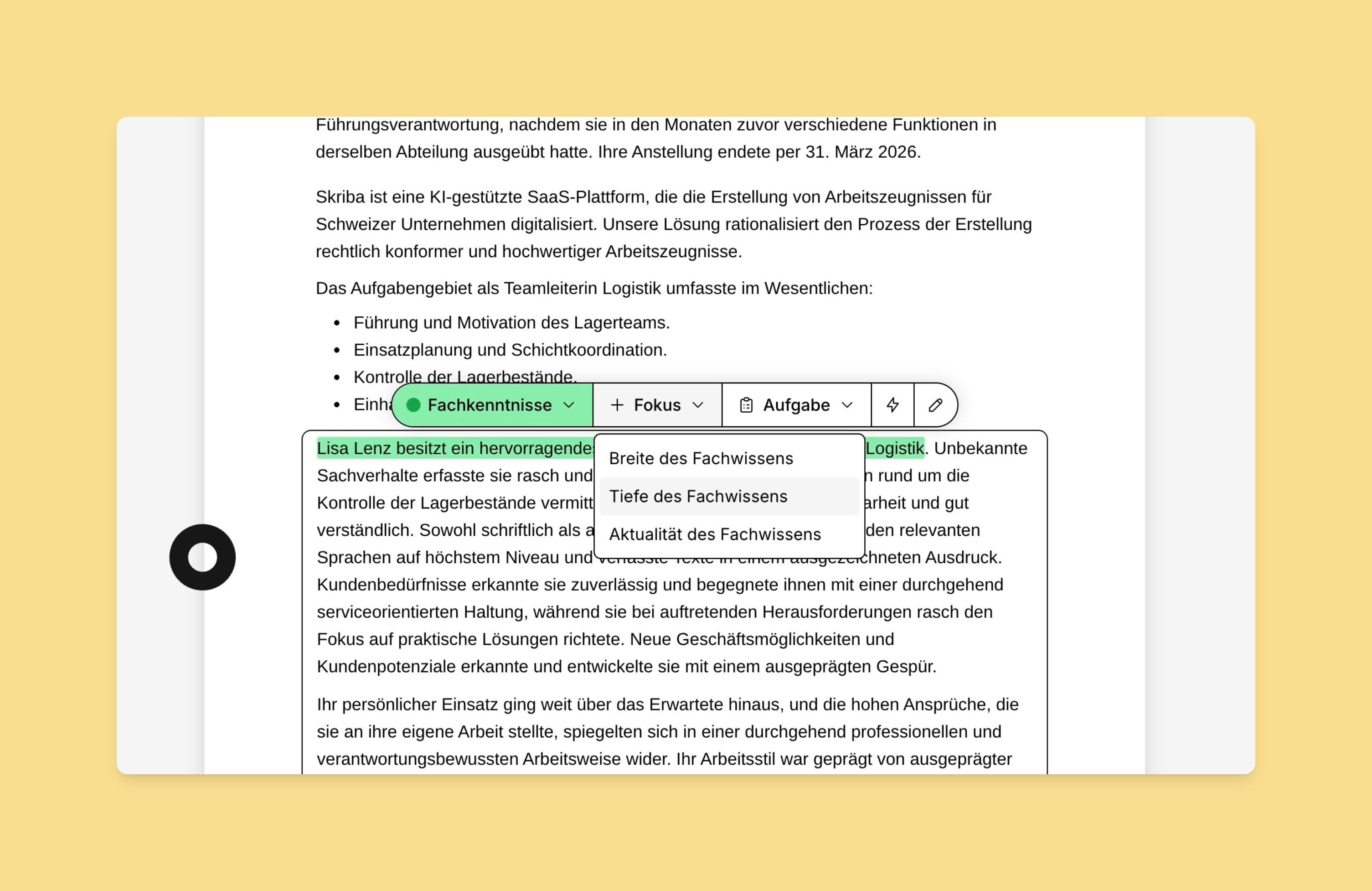
In the context menu of the assessment you'll find three new options. With them you set, for each sentence on its own, what it is about and how it is worded. The three new settings are optional. Use them when you want to work out a sentence in more detail.
Focus: Choose which aspect of the competency is in the foreground, for example with technical knowledge the breadth, depth or currency of the expertise.
Task: Link the sentence to a task from the field of work, such as "checking stock levels".
Custom instruction: Write in your own words how the sentence should be worded, for example "shorter and more factual".
Improvements
Documents Documents that are already open update after a job change.
Bug fixes
Assessments Manually edited assessments are also rewritten into the correct tense after duplicating.
Preview The preview now matches the PDF file even when contents have been cleared.
Version history for documents
Feature Release
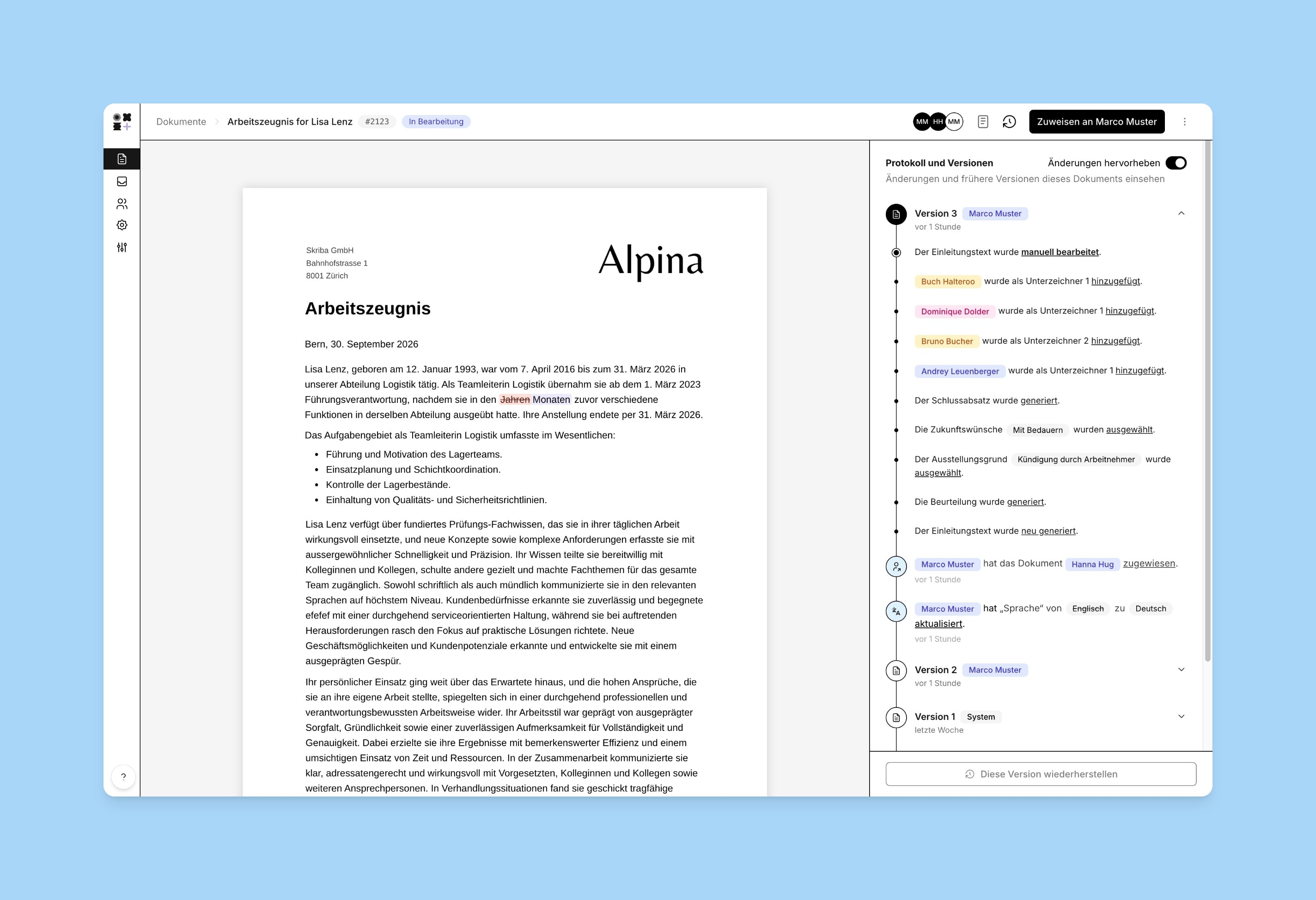
You can now see how your documents have changed. We added a version history to the workspace. It lets you look at earlier versions when you want to check a revision.
What the version history can do
View earlier versions and compare them with each other.
Restore an older version.
See who changed what and when.
Tell the interim version and the final version apart.
Compare changes in the diff view
The diff view compares the content of two versions. Removed content shows in red, added content in blue or violet, depending on whether it is a default content value or custom content.
This makes it easier to check a revision, because you see the marked spots right in the content. If you find a change you don't want to keep, you restore the older version.
Merge jobs
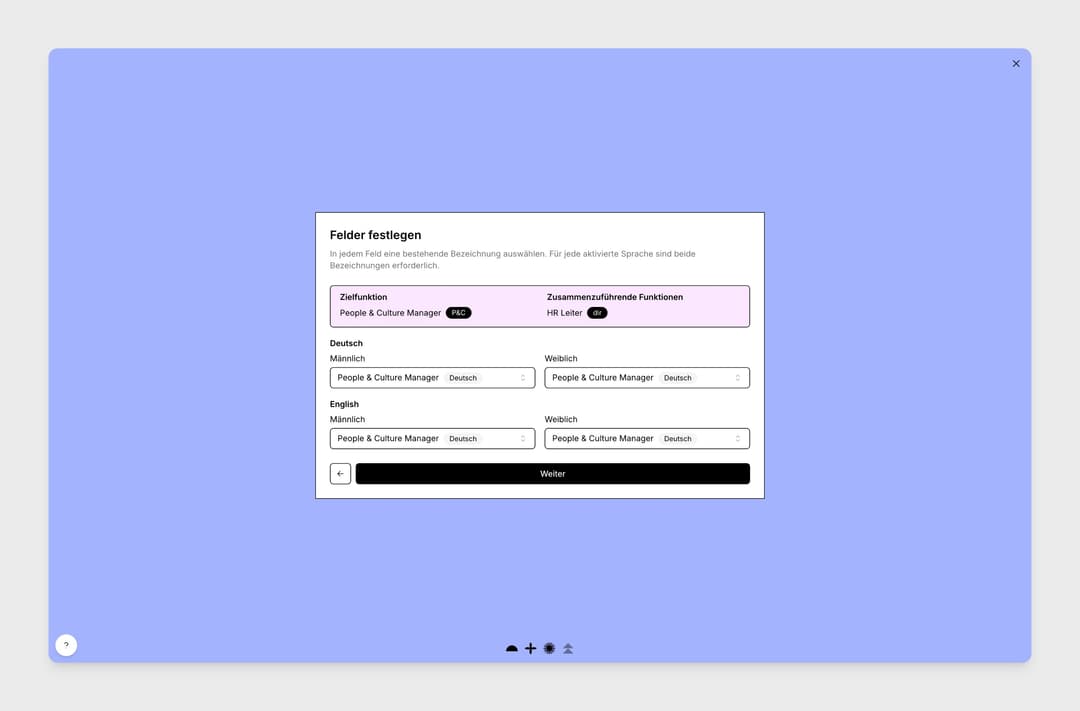
You can now merge jobs yourself. If several job labels describe the same job, you can unify them this way. The AI can search for similar roles and recommend merges.
Other
Improvements
SAP We identified additional employee fields.
Variables A new variable shows the type of employment.
Bug fixes
Date input You can now also select years in the future.
Documents When you duplicate an interim version as a final version, the system resets the manual closing section.
Text editor When you update a chip, the surrounding text stays unchanged.
You can now see how your documents have changed. We added a version history to the workspace. It lets you look at earlier versions when you want to check a revision.
What the version history can do
View earlier versions and compare them with each other.
Restore an older version.
See who changed what and when.
Tell the interim version and the final version apart.
Compare changes in the diff view
The diff view compares the content of two versions. Removed content shows in red, added content in blue or violet, depending on whether it is a default content value or custom content.
This makes it easier to check a revision, because you see the marked spots right in the content. If you find a change you don't want to keep, you restore the older version.
Merge roles
You can now merge roles yourself. If several labels describe the same job, you can unify them this way. The AI can search for similar roles and recommend merges, just try it.
Other
Improvements
SAP We identified additional employee fields.
Variables A new variable shows the type of employment.
Bug fixes
Date input You can now also select years in the future.
Documents When you duplicate an interim version as a final version, the system resets the manual closing section.
Text editor When you update a chip, the surrounding text stays unchanged.
Sentence by sentence or all at once: edit reviews flexibly
Feature Release
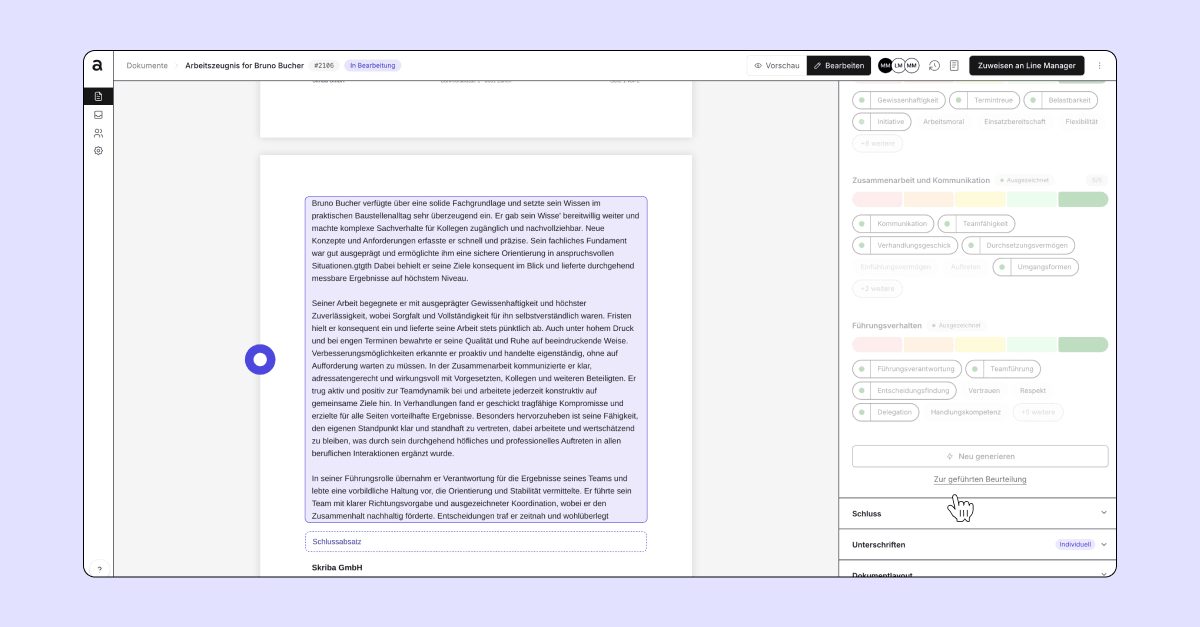
Single sentences or the whole assessment: editing is now unified.
Before, you had to decide up front whether to adjust single sentences or switch to manual mode. That distinction is gone. You edit directly in the document, whether it's a word, a sentence or the whole assessment.
You can edit and regenerate texts by double-clicking or through the context menu. You open the context menu with a single click on the text you want. Changes are saved automatically, and manually edited content is clearly marked.
Nothing changes with permissions. HR and managers can still only edit the content intended for their role.
Editing without mode switching
Feature Release
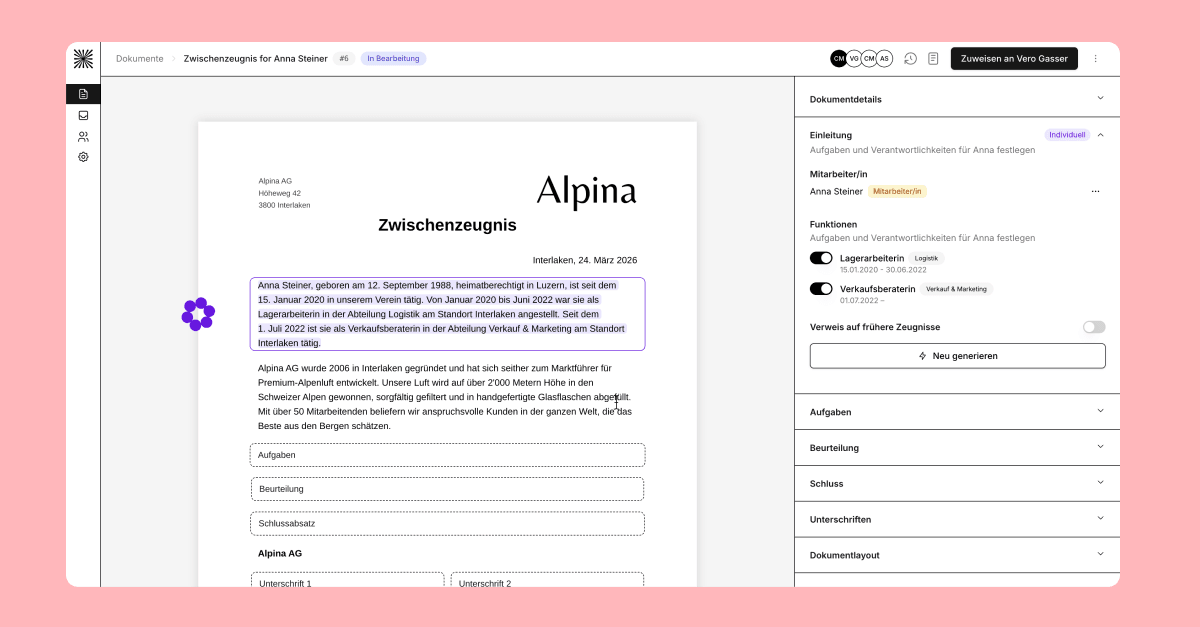
Preview and editing are now directly connected to each other.
We have removed the previous toggle and integrated editing directly into the document.
Texts can be edited and regenerated there via context menu or double-click. You open the context menu with a simple click on the desired text.
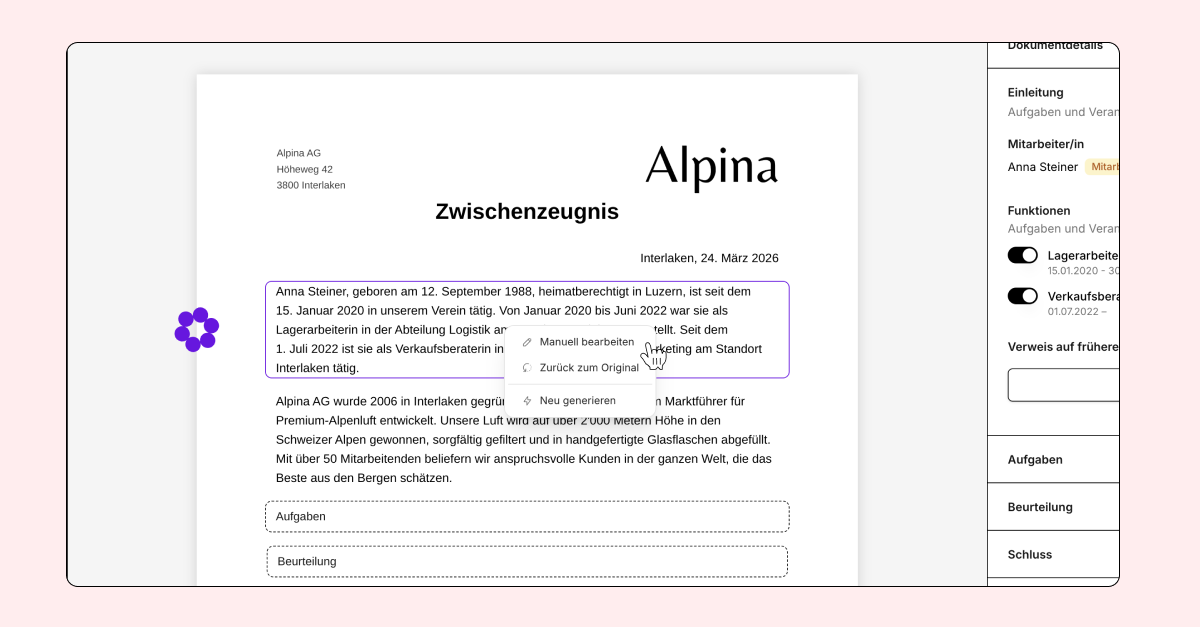
For assessments, you can, as before, specifically adjust individual sentences or manually edit the entire assessment. Changes are saved automatically and manually adjusted content is clearly marked.
The existing permissions remain unchanged. HR and managers can continue to edit only the content intended for their respective role.
Evaluation and document types with predefined texts
Version Release
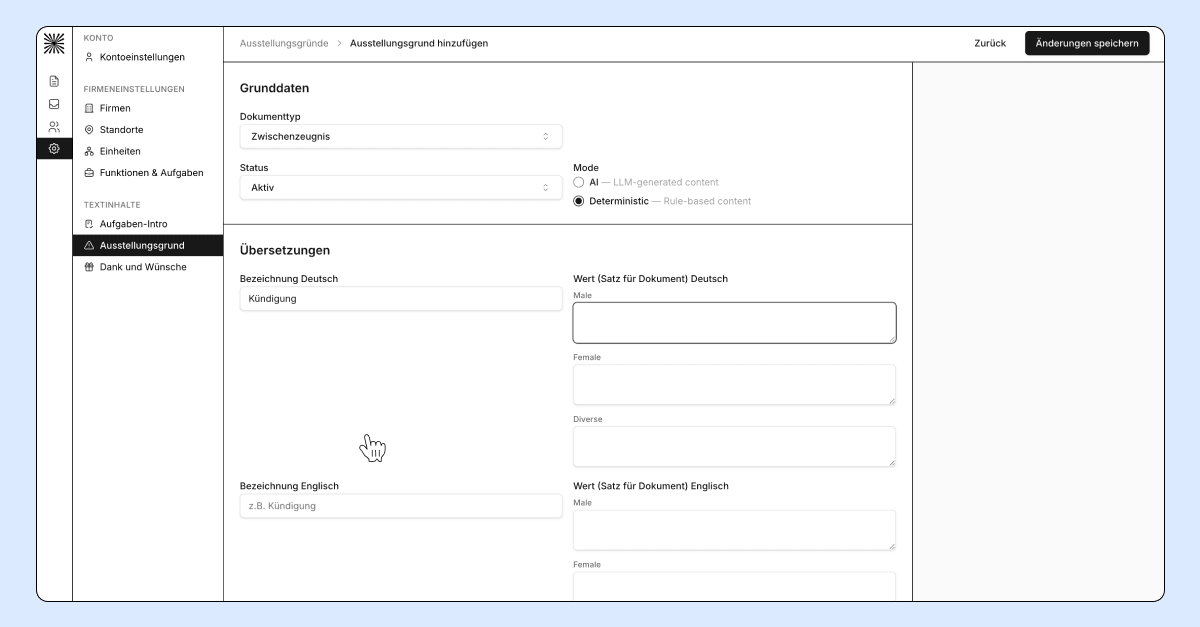
Evaluation categories and rating scales can now be configured. Custom categories, rating levels, labels and required evaluations can be used differently depending on the document type.
Custom document types can also be configured. For example, you can create a dedicated internship certificate and define exactly which content and sections it should include.
AI or predefined texts: For task introductions, evaluations, reasons for issuing the document, as well as thanks and future wishes, you can define whether the text is generated by AI or a predefined text is used.
Would you like to adapt evaluations, rating scales or document types to your requirements? Contact us and we’ll configure them together with you.
Work Reference 2.0, Delete Requests and More
Improvements
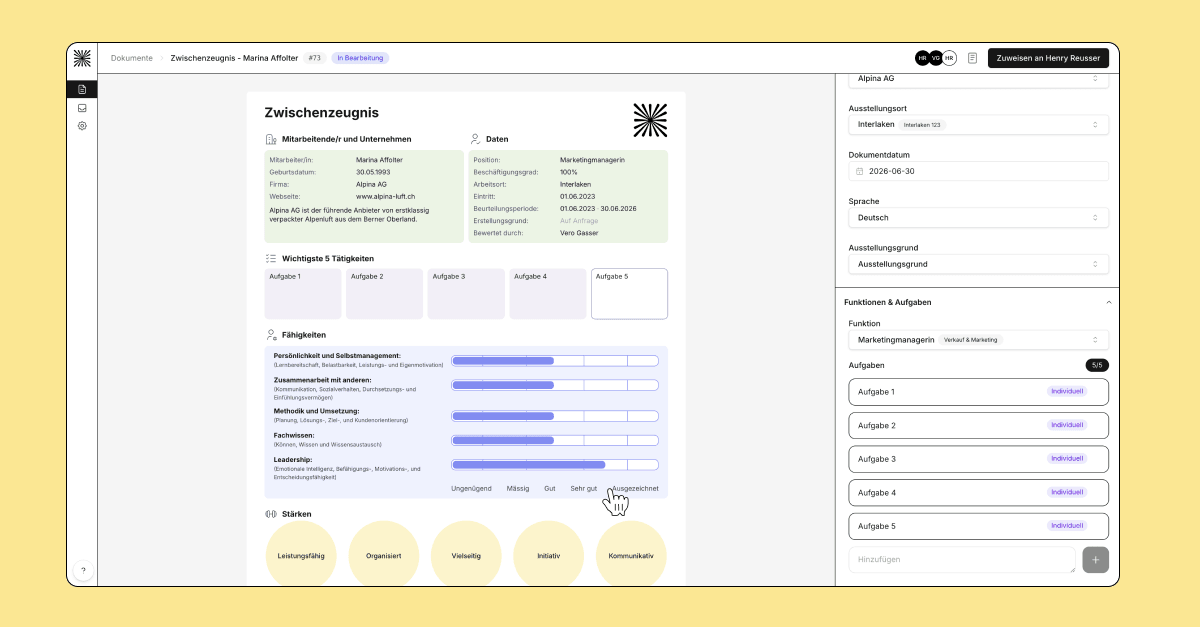
Employment Certificate 2.0
End dates are no longer displayed on interim certificates.
The employment start date now uses the employee's first employment date.
The employment end date now uses the employee's last employment end date, if available.
Empty placeholders are no longer displayed in PDFs.
The "Good to know" section now uses the present tense for interim certificates.
The {Employee} variable is now correctly resolved in the "Good to know" section.
Leadership evaluations now start at 50%.
Evaluation sliders now support 0.5 point increments.
Empty task sections are hidden in PDFs.
German wording has been aligned with the official Employment Certificate 2.0 version.
The document number is now displayed in the application.
Managers can no longer accidentally complete documents.
Delete Requests
HR users can now delete document requests directly from the requests overview.
Add New Occupations
HR users can now add a new occupation even if the current occupation has no end date. The previous occupation is automatically closed on the day before the new one begins.
Fonts
Unsupported fonts are detected and reported before use.
PDFs are only generated when all required fonts are available.
Standard fonts such as Arial, Helvetica, and Times New Roman are handled consistently.
Other Changes
This release also includes various bug fixes and smaller improvements, including updates to signers, document templates, and overall system stability.
Edit the Entire Evaluation Manually
Feature Release
Improvements
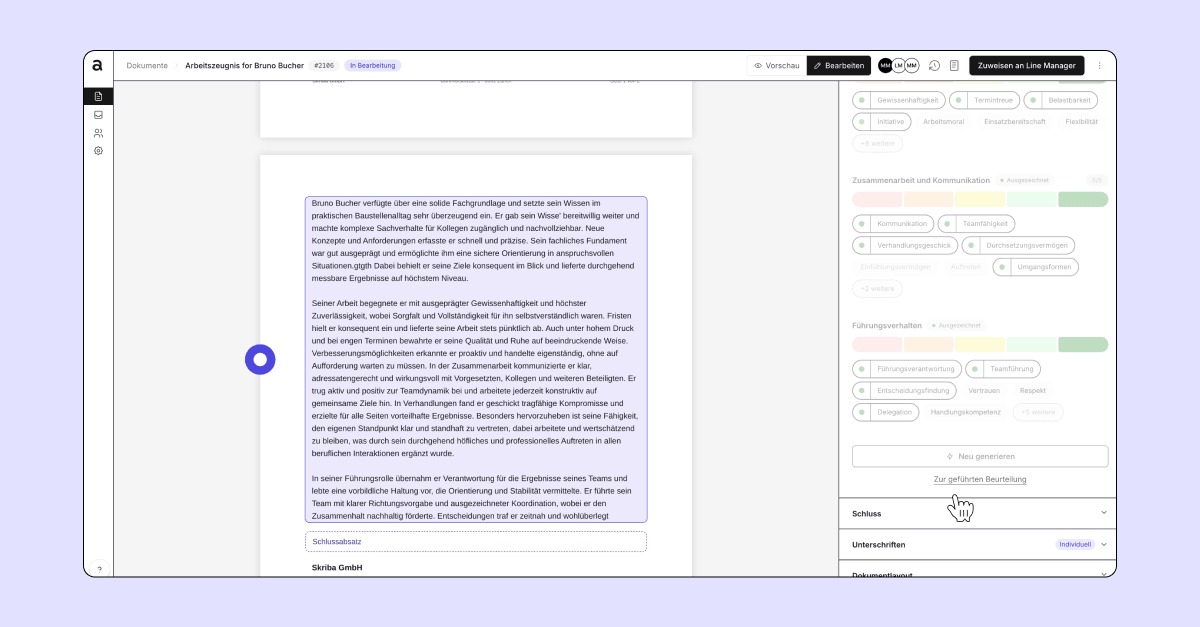
Evaluations can now be edited entirely as free text. Users can switch between guided evaluations and manual editing at any time without losing previously entered content.
The document editor has also been improved. Manually edited content is highlighted more clearly, individual sections can be reset more easily, and changes are tracked more comprehensively in the document history.